> ## Documentation Index
> Fetch the complete documentation index at: https://documentation.mysmtp.com/llms.txt
> Use this file to discover all available pages before exploring further.
# Thunderbird SMTP Setup Guide
> Set up mySMTP in Mozilla Thunderbird. Configure outgoing SMTP server settings, authentication, and enter your mySMTP username and password.
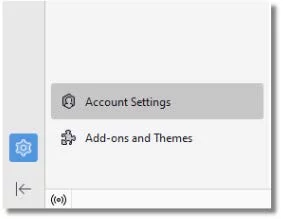
Open Thunderbird and click to **Account Settings**
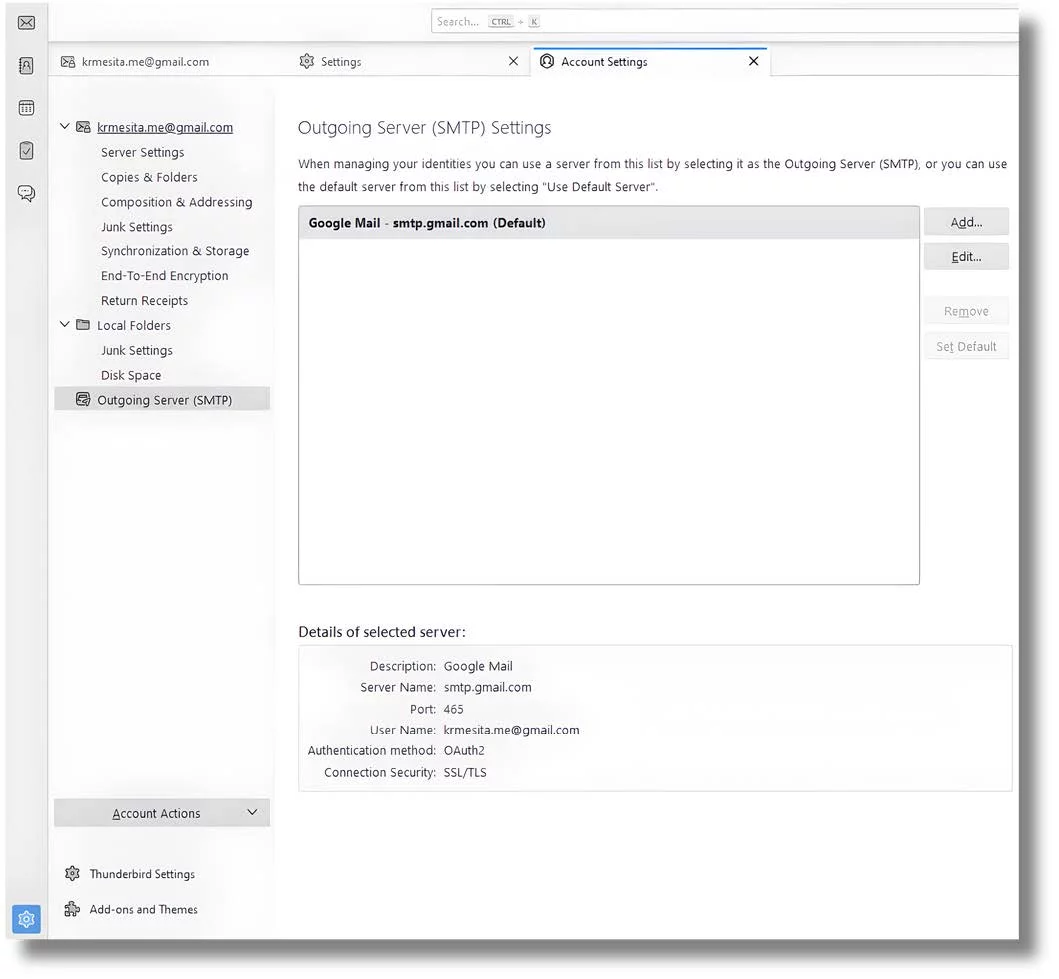
Edit the account you want to use with mySMTP
Use the below settings to finalize the SMTP server set up. You need user/password to SMTP server for this
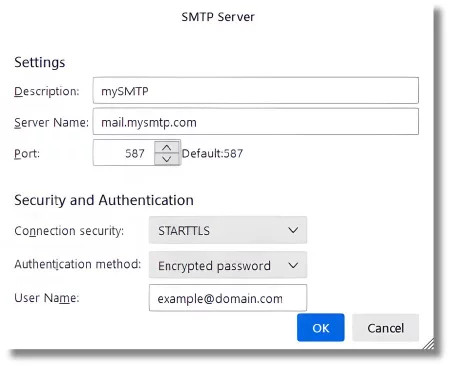
When done, you will be prompted by Thunderbird next time you send an email for the SMTP password. This should happen one time to activate SMTP account.
This documentation is built and hosted on [Mintlify](https://mintlify.com), a developer documentation platform.