> ## Documentation Index
> Fetch the complete documentation index at: https://documentation.mysmtp.com/llms.txt
> Use this file to discover all available pages before exploring further.
# Mac Mail 2025 SMTP Setup Guide
> Set up mySMTP in Mac Mail 2025. Add your SMTP server, enter login credentials, and configure ports and TLS for outgoing mail.
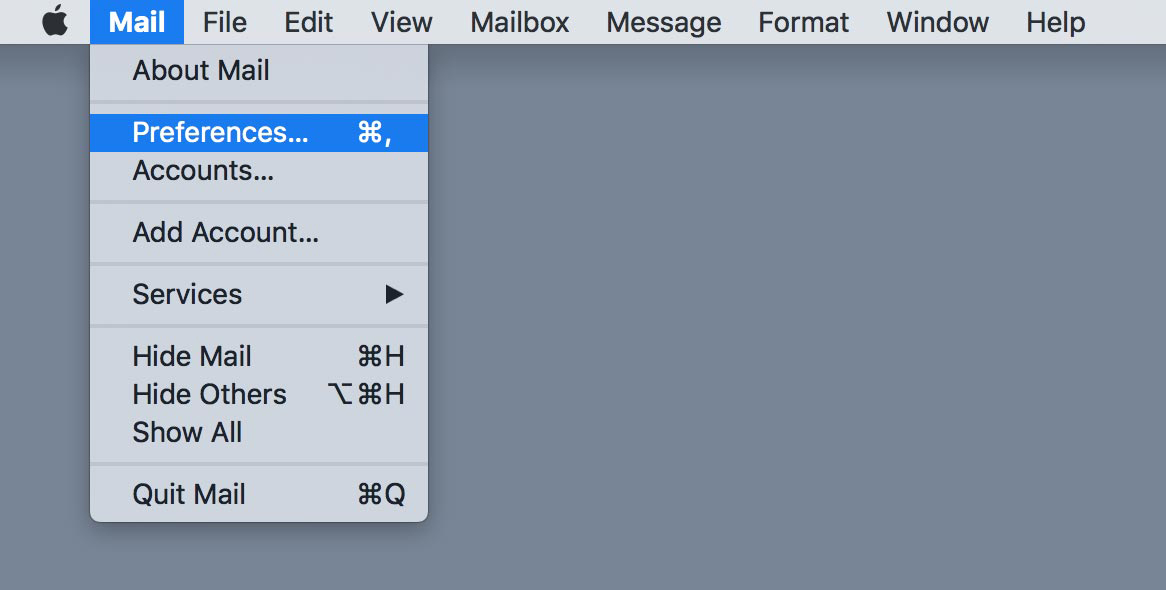
Open Mail and click **Preferences**
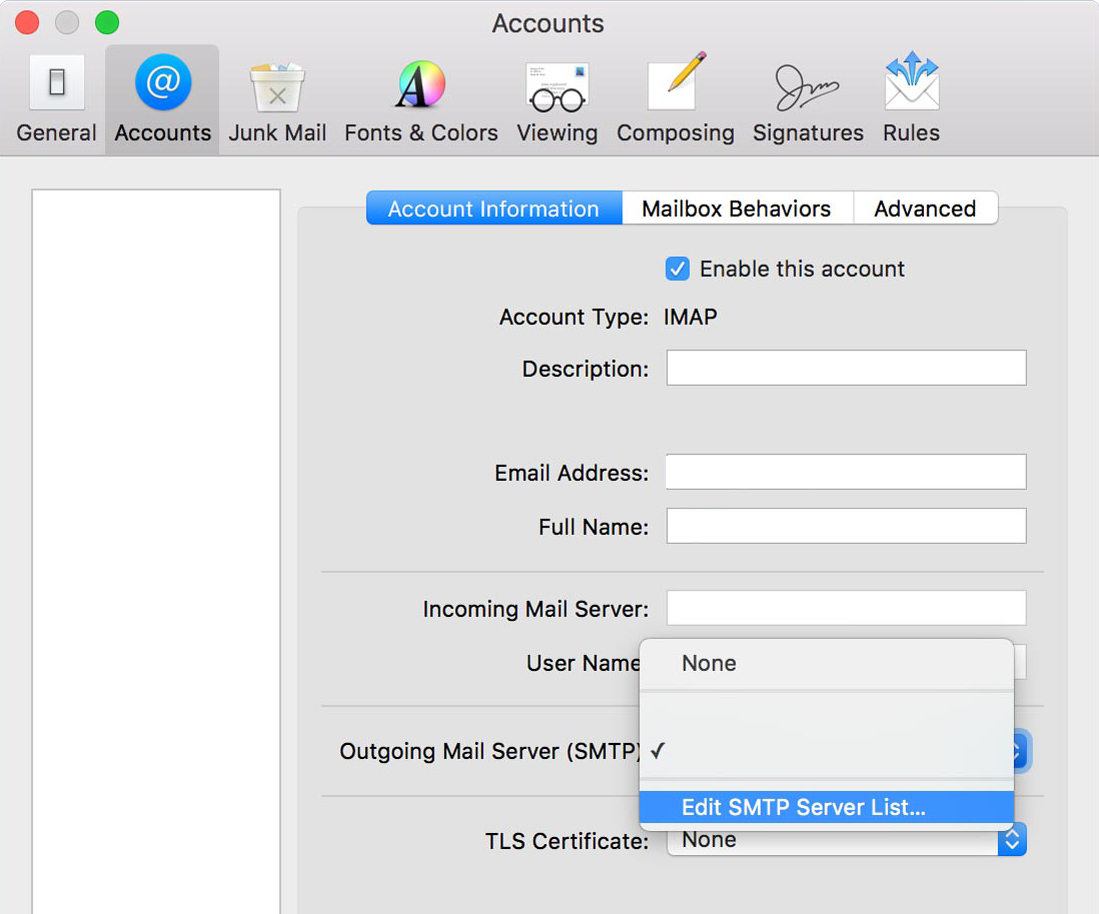
Click **Edit SMTP Server List...**
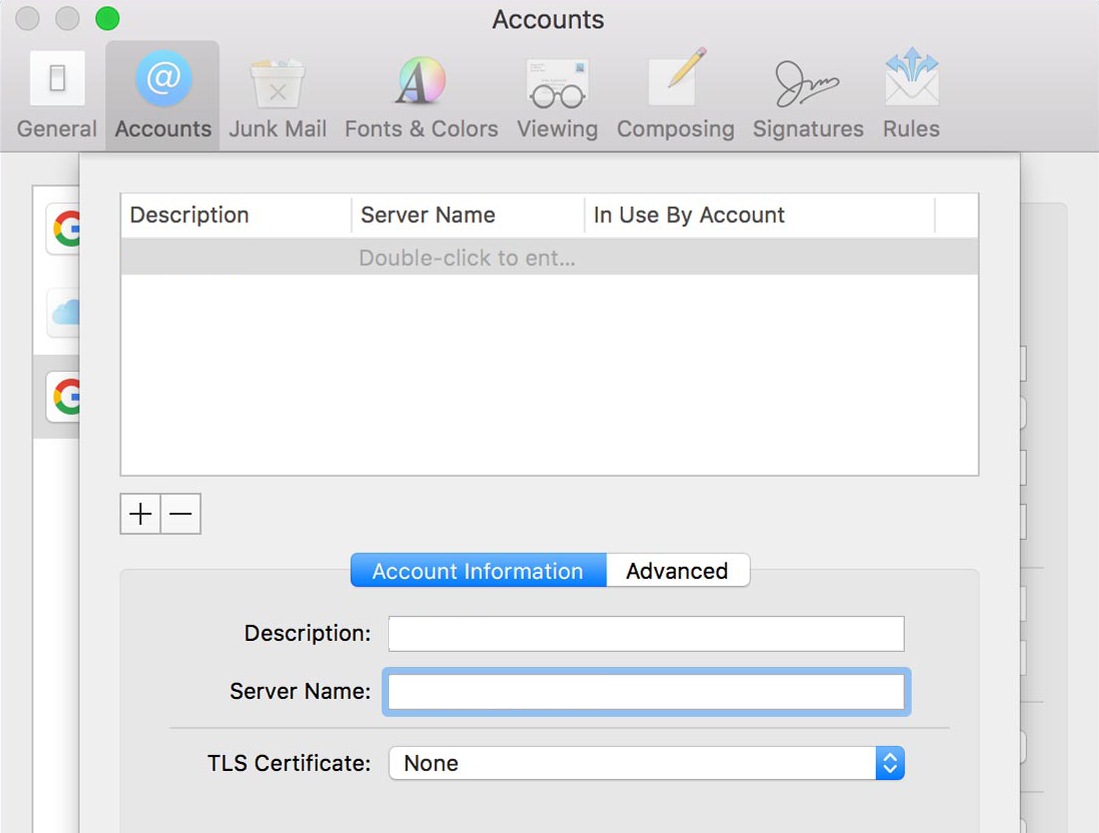
Follow instructions in window
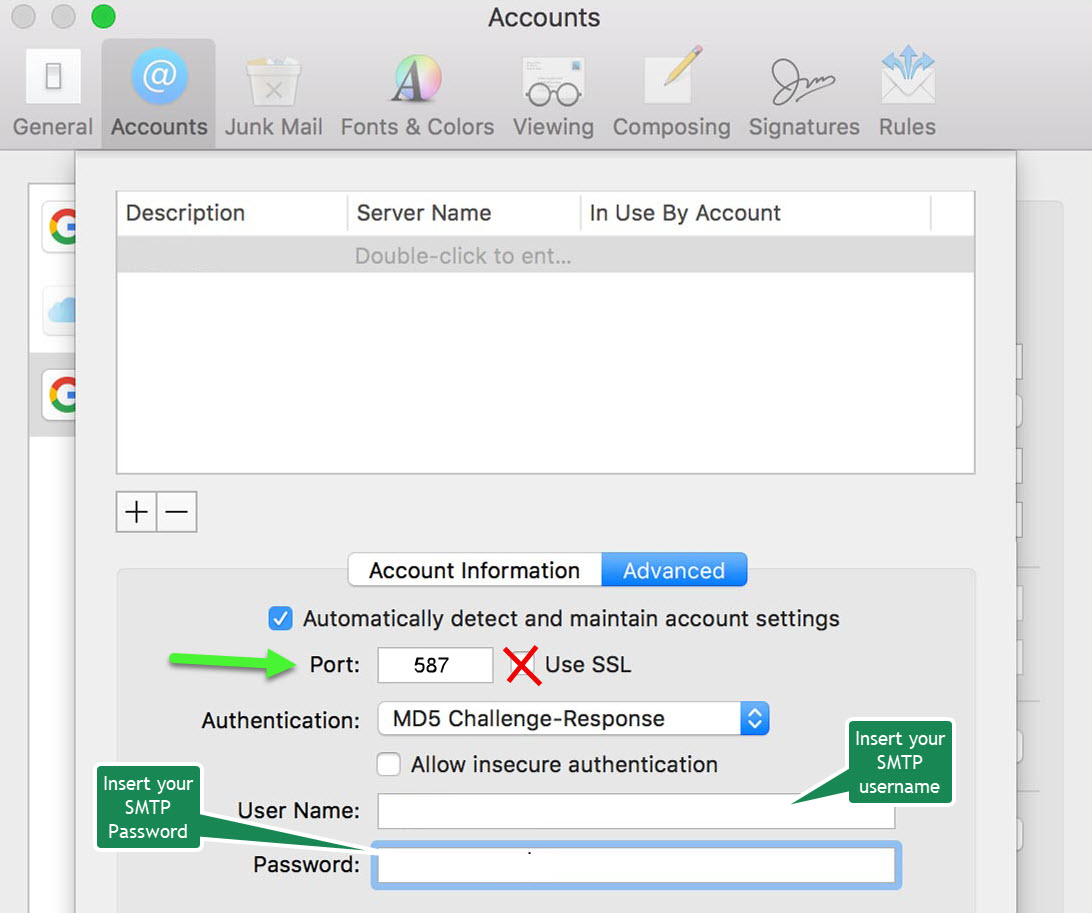
Type in your SMTP login information and then test
This documentation is built and hosted on [Mintlify](https://mintlify.com), a developer documentation platform.